Troubleshooting Windows Firewall Configurations
Windows Event Viewer lists errors associated with Windows Firewall Configuration errors in the following sections:
- Application and Services Logs > Microsoft > Windows > DeviceManagement-Enterprise-Diagnostics-Provider: This log records input commands and sometimes contains more error information when a command fails.
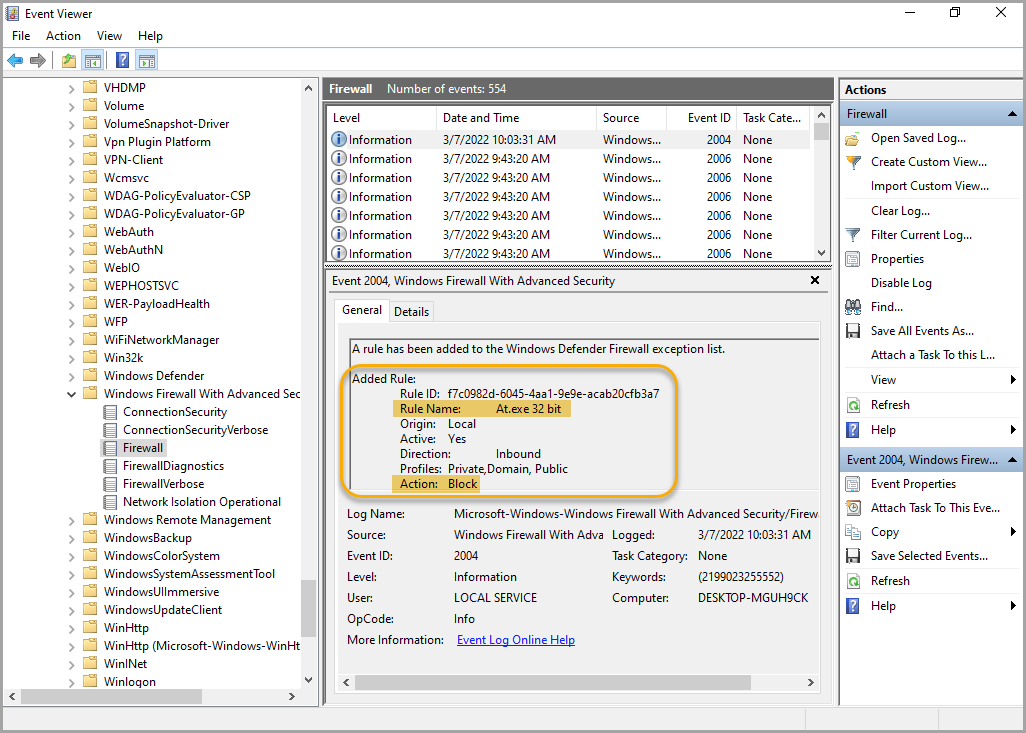
- Application and Services Logs > Microsoft > Windows > Windows Firewall With Advanced Security: This log tracks the installation of Windows Firewall configurations and rules. In the following example, a new rule is added, that blocks inbound access of the At.exe binary.
Accidentally blocking access to devices
With Firewall configurations and Firewall Rulesets it is very easy to block access to a managed device. Either type of configuration can prevent the managed device from communicating with KACE Cloud, and the only way to fix that is a manual device reset. For that reason, it is strongly recommended to test any Firewall configurations or Rulesets on virtual machines or local devices with easy access before attempting to deploy those changes to any remote end points.
The following examples illustrate how a device can be blocked in each type of configuration:
- Firewall configurations:
- Firewall configurations block access to a network profile type if Enable Shielded Mode is set:
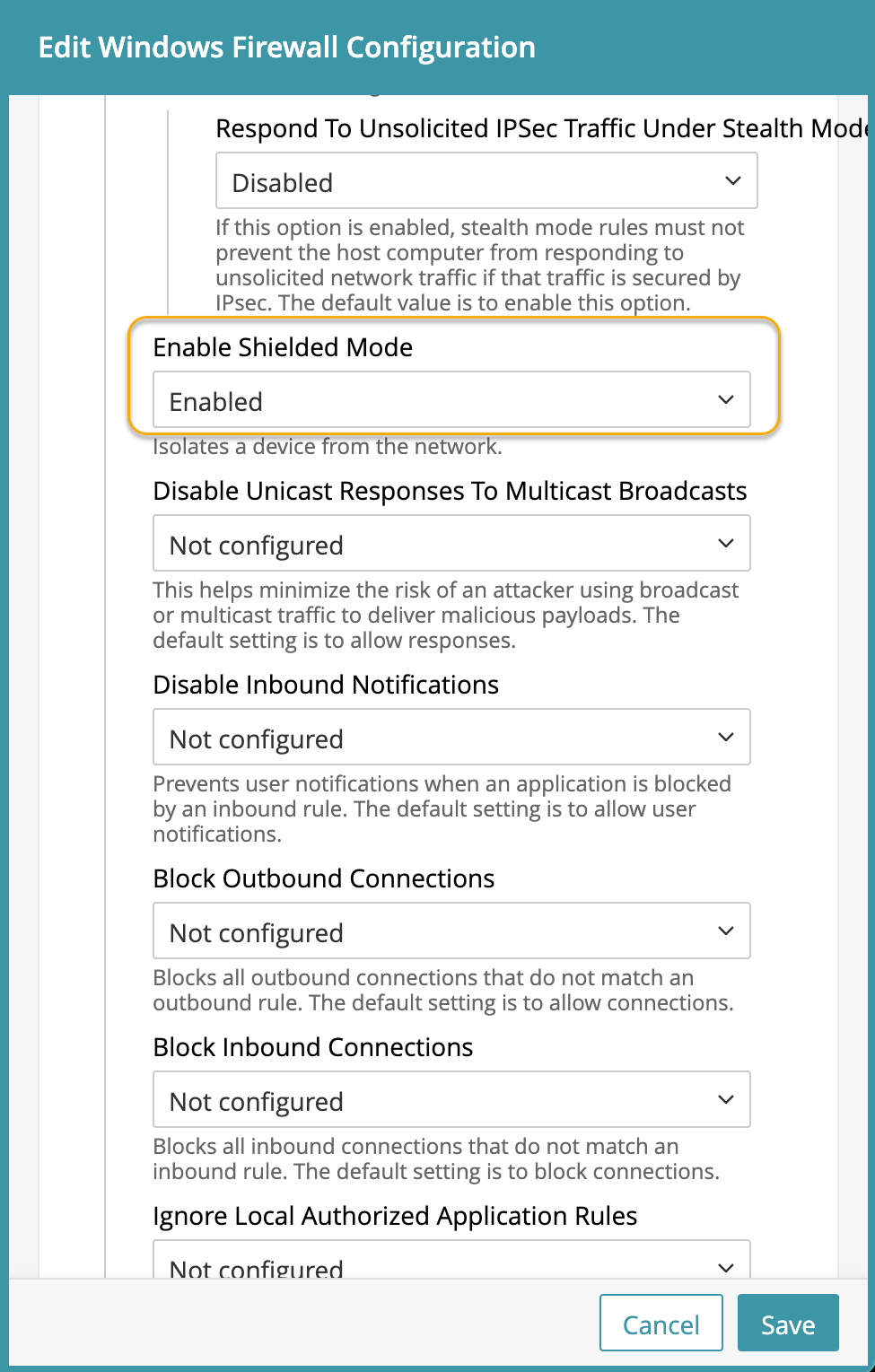
If this option is enabled on the network that connects the device to KACE Cloud, then the device is not blocked from receiving commands or updated configurations.
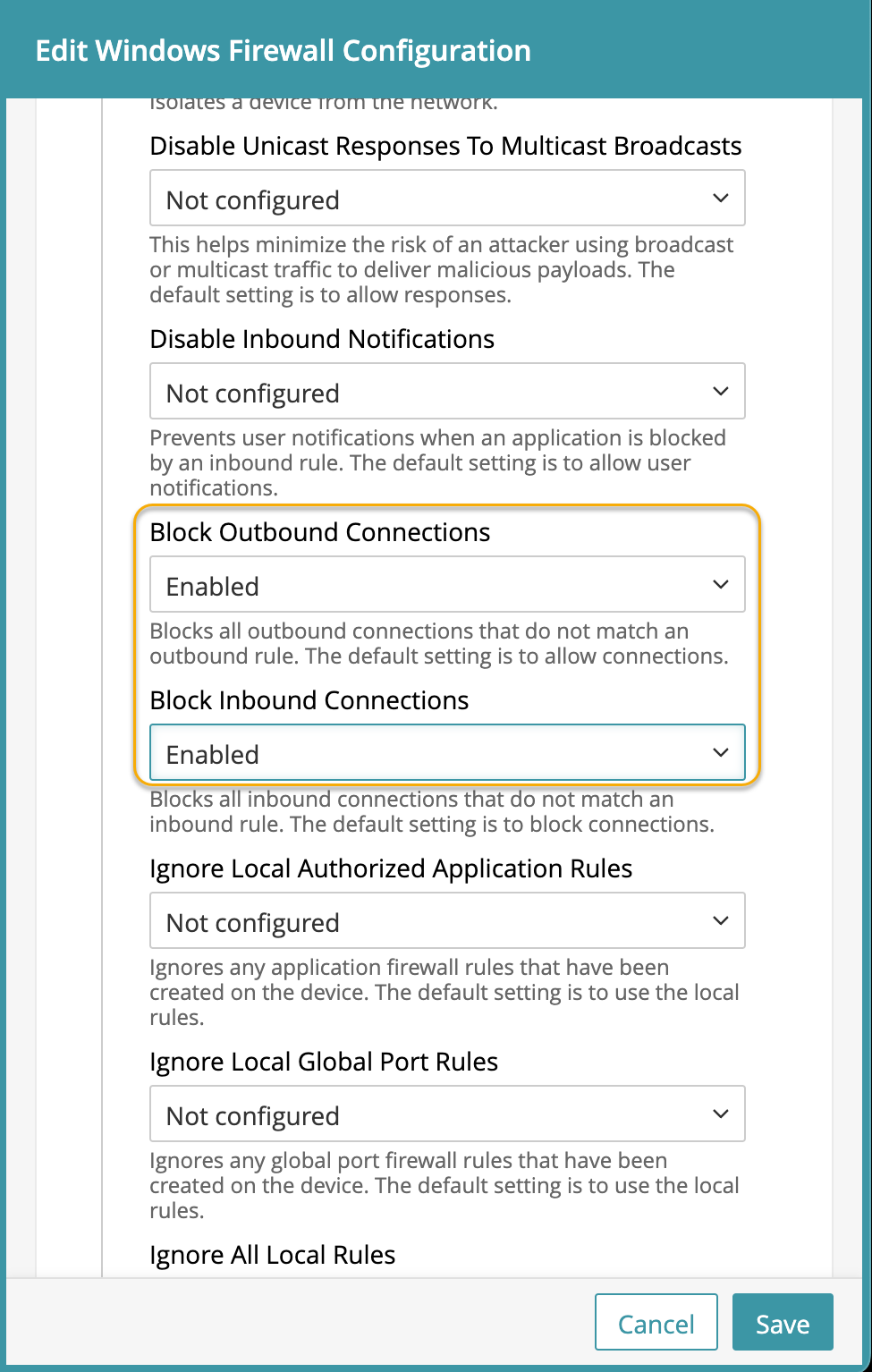
- If both outbound and inbound connections are blocked without any rules applied to the device on the network that connects the device to KACE Cloud, the device cannot receive commands or updated configurations, requiring a manual intervention.
- Firewall configurations block access to a network profile type if Enable Shielded Mode is set:
- Firewall Rules:
- A basic rule with just the outbound direction of and a block action prevents all connections to the device on every network profile.
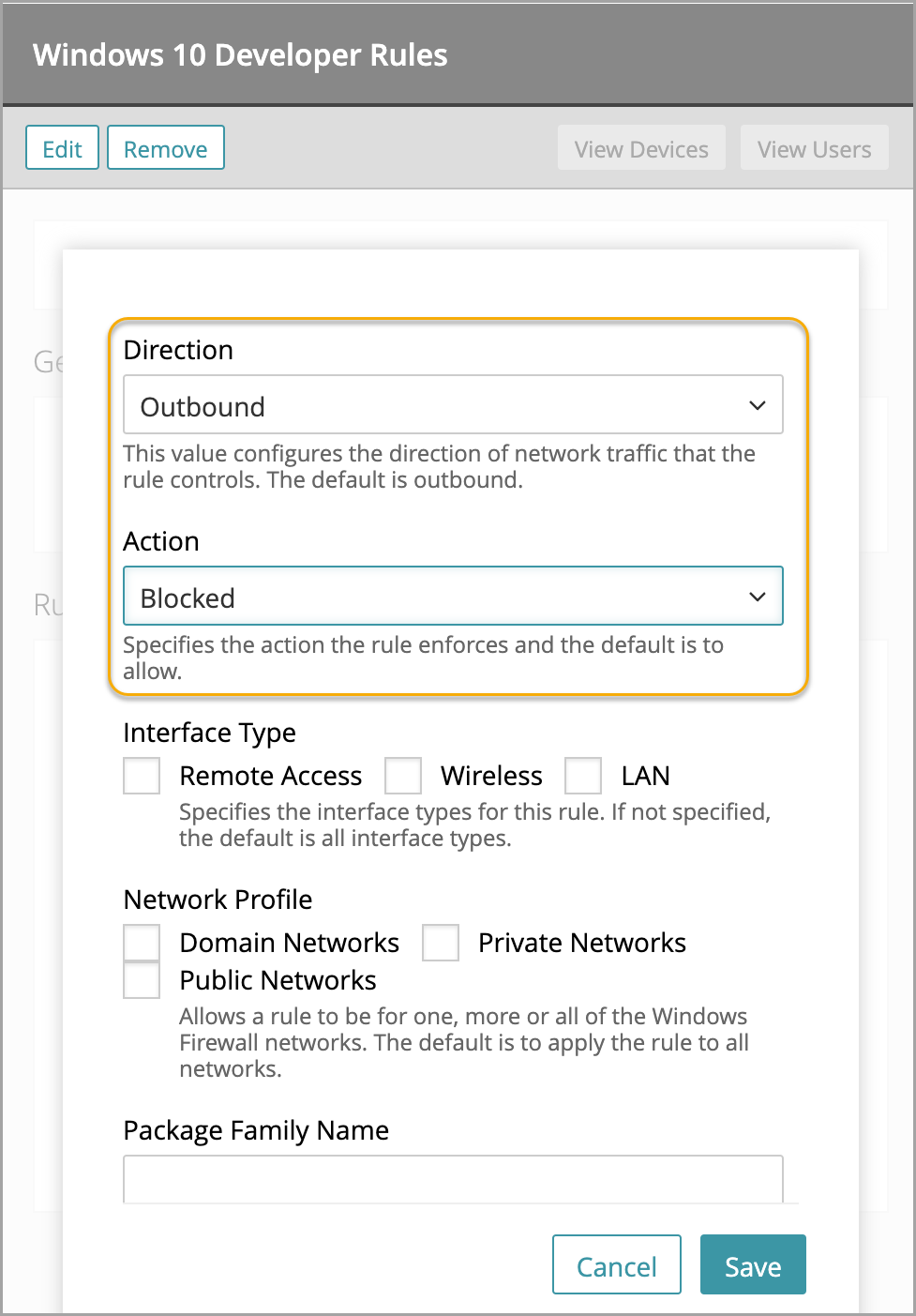
- The same issue can happen with an inbound blocking rule with no other options.
- Blocking access to TCP without specifying any ports or addresses also blocks access to the device.

Best practices
Microsoft recommends keeping the default values for the Windows Firewall, with inbound actions being blocked and outbound actions being allowed. For more details, visit Best practices for configuring Windows Defender Firewall.
Microsoft also recommends blocking users from creating their own local rules. See Planning Settings for a Basic Firewall Policy.

NOTE: This can cause some apps to be blocked. Certain apps create their own local rules during installation. These rules do not run if local rules are ignored.
- A basic rule with just the outbound direction of and a block action prevents all connections to the device on every network profile.